

02.1 → Wiring schedule

One row per wire.


Open a row to see both ends, the connection type at each end and the signal. Pick a different signal type and the wire takes its color on the canvas and its IEC code on paper.
Desktop beta · Mac / Windows / Linux
Type From → To in a grid. Ohmstead lays out the schematic, routes every wire, builds the terminal strips and prints an 11×17 drawing set.
Free during the beta. No credit card.

01 → The drawing set

Page frames on the canvas are your sheets. Export, and every frame prints as a black-and-white ANSI B drawing with a zone border, title block, sheet references and a full wire schedule.
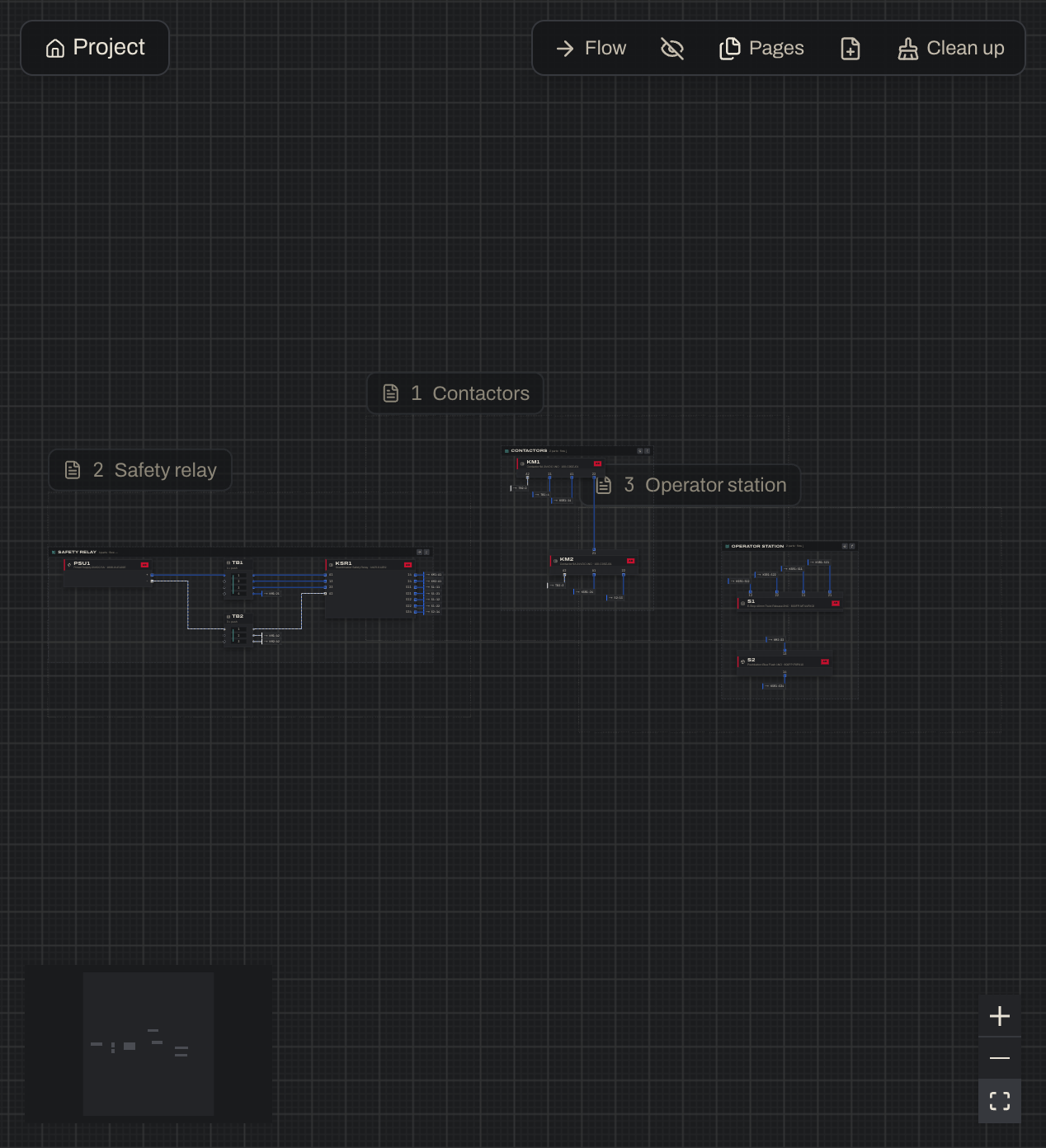
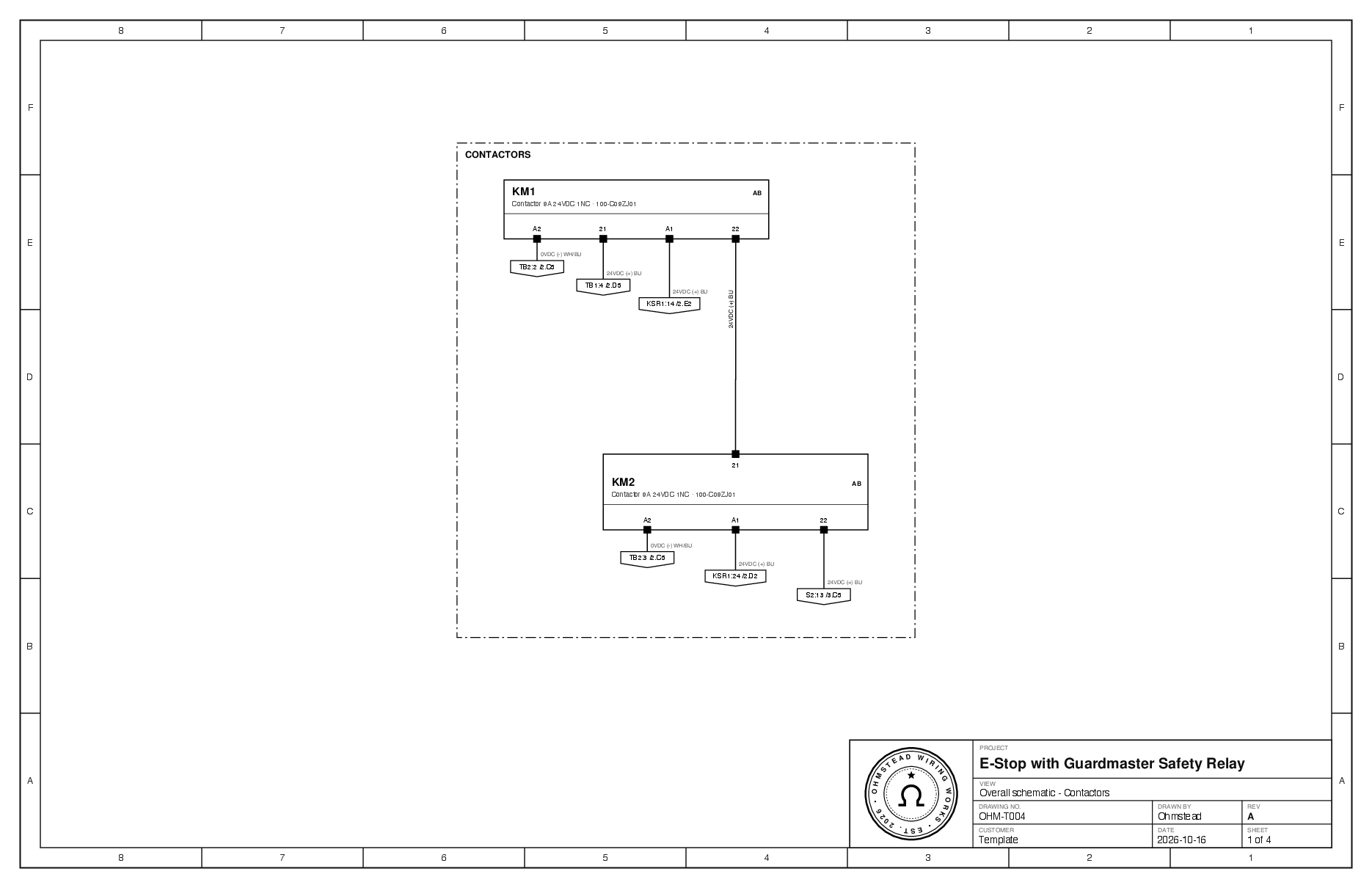
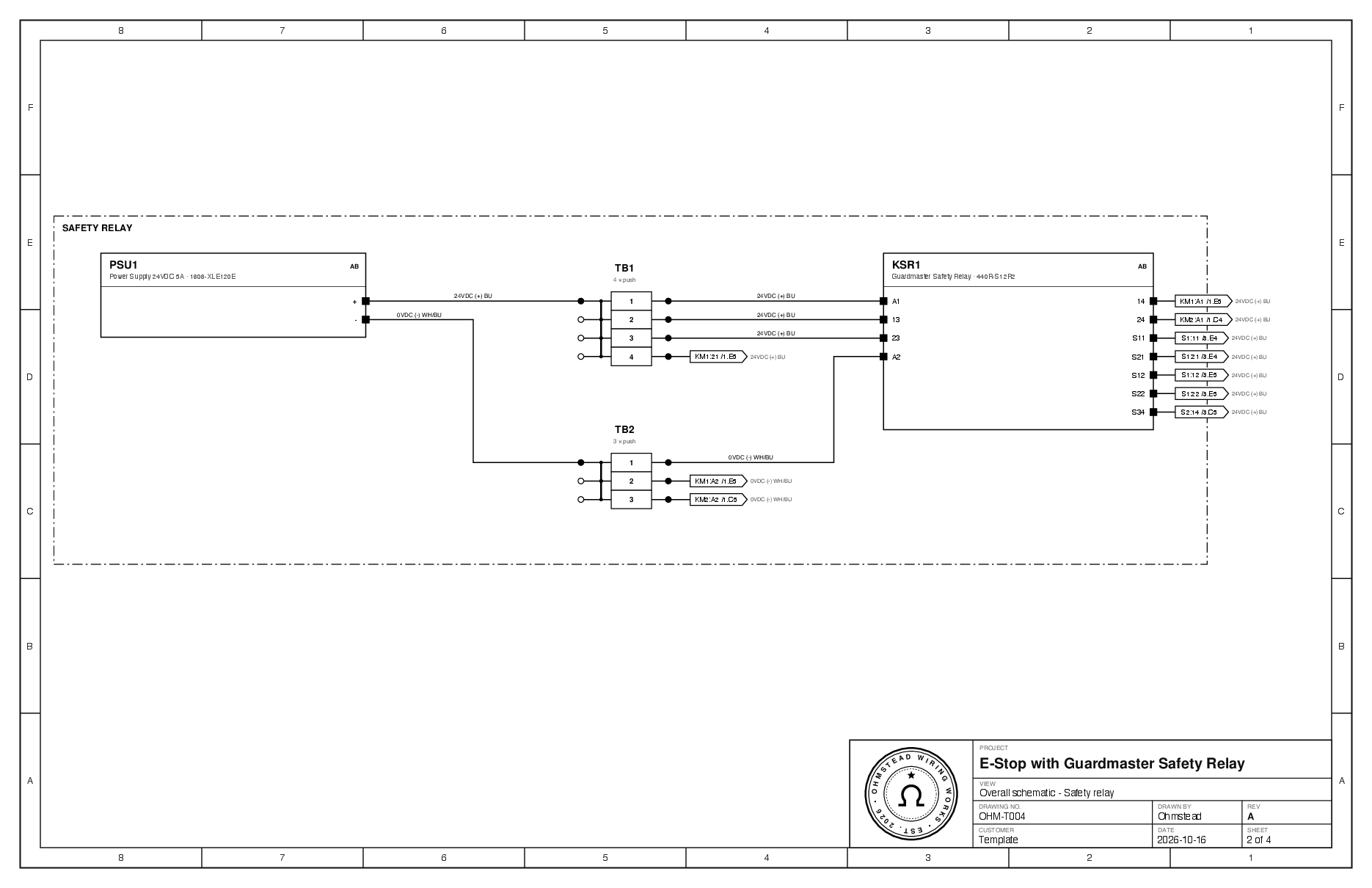
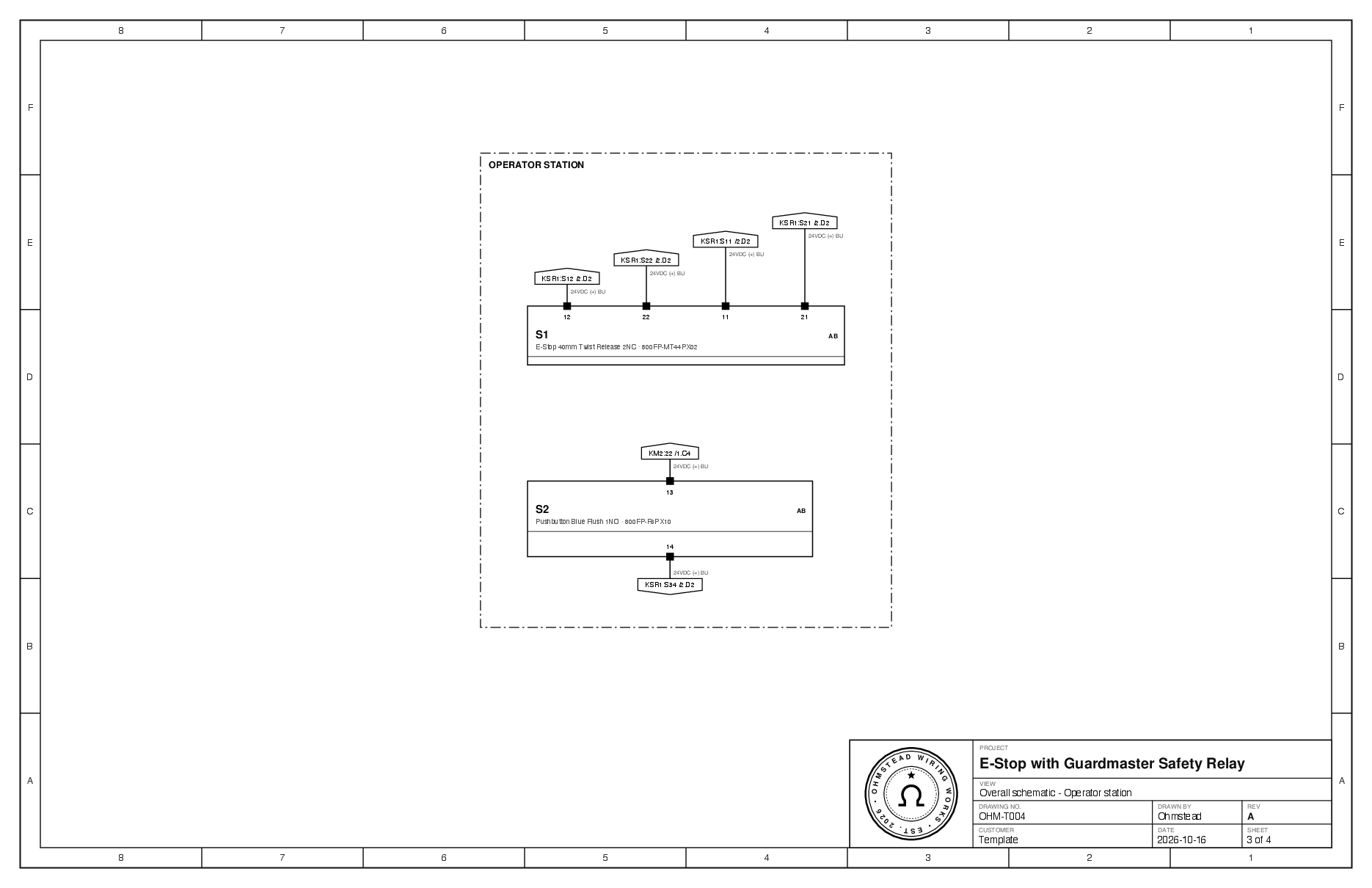
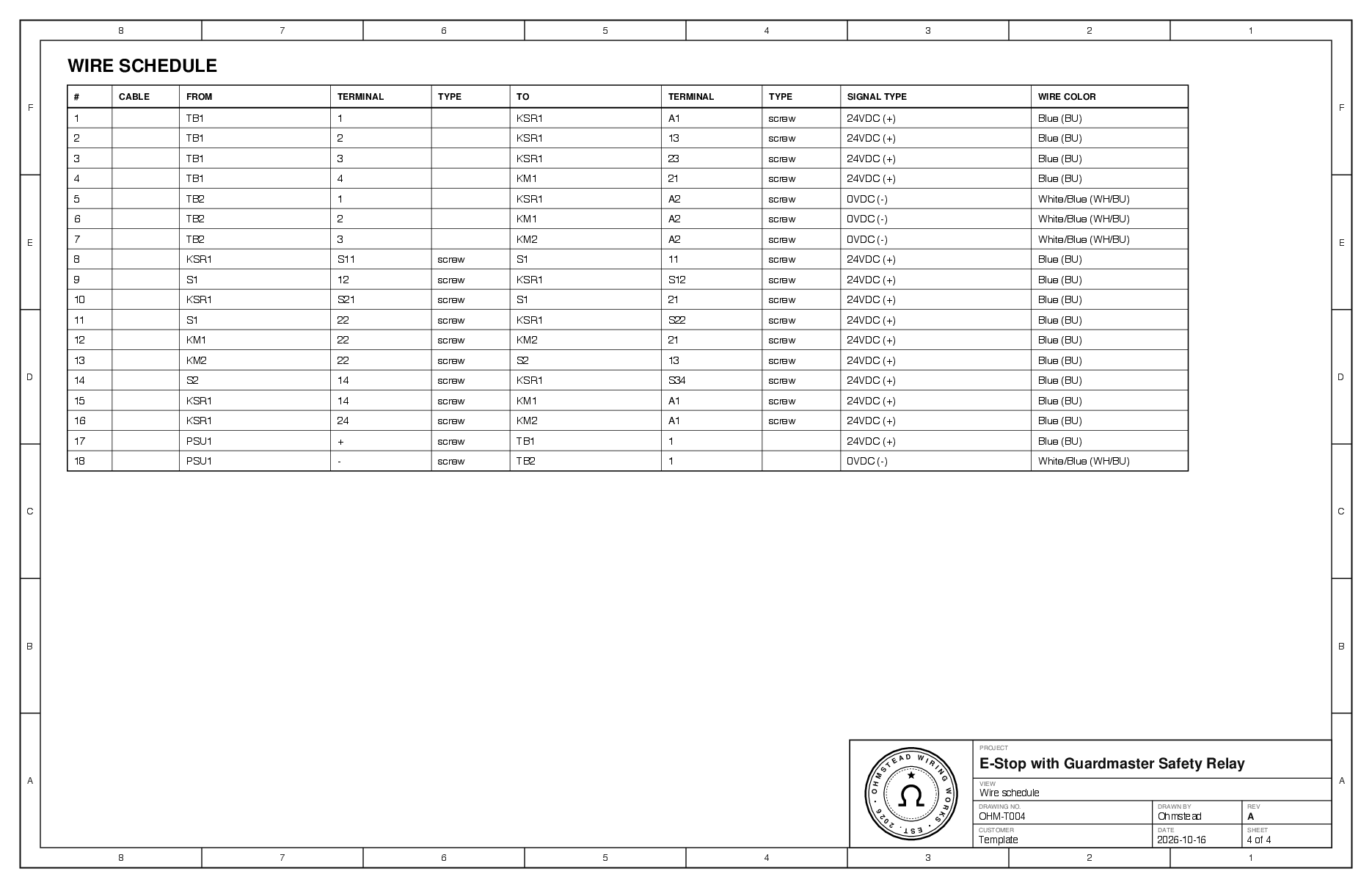
Recorded in Ohmstead 0.2.2 · the real Export PDF of the E-Stop with Guardmaster template, 4 sheets
02 → How it works
02.1 → Wiring schedule
Open a row to see both ends, the connection type at each end and the signal. Pick a different signal type and the wire takes its color on the canvas and its IEC code on paper.
02.2 → Strips
Land three wires on a terminal that takes two and the schedule warns you. Fix all routes them through a jumpered terminal strip, here TB2, the 0V bus. You never add a TB by hand.
02.3 → Cables

A cable joins two connectors pin for pin. Open its pin map to set each conductor's signal and color. Plugs that won't mate (same gender, different keying or pin count) get flagged.
03 → Also in the box
03.1 → The Codex

Search the shared library: “safety relay” finds the Allen-Bradley Guardmaster and the Pilz PNOZ s4. Built-in parts are read-only; fork one to change it.
03.2 → Nested subsystems

Double-click a subsystem to work inside it. Wires that leave it end at small off-page blocks. Project takes you back up.
03.3 → Clean up

Drag a block where it lives in the enclosure. Clean up (⌘U) lines the selection back up and reroutes, with Undo.
03.4 → Wire references
Set a wire's Draw to Ref and the long route becomes a pair of → TAG:TERM flags you can click to jump between.
03.5 → PLC racks
Open a PLC's rack: a CompactLogix 5380 with 8 slots, a Compact 5000 digital output module in slot 1. Add modules from the Codex.
03.6 → Split blocks
Split U1 into parts and pick which part shows each terminal. Connectors move whole; wires and the schedule don't change.
03.7 → Live in every window
Add a wire in one window and the other updates with “Updated from another session” and an Undo.
03.8 → Built-in templates


Nine built-in templates, from 24VDC distribution and E-stops to a PowerFlex 525 VFD, ESP32 and Raspberry Pi builds, and an FSAE EV low-voltage system.
Recorded in Ohmstead 0.2.2. Clips play on a loop.
04 → Pricing at launch
No billing during the beta.
Coming up the trail: Teams, Enterprise and On-Prem. Shared projects and one Codex for the whole outfit, a seat for every hand, or Ohmstead running on your own servers, behind your own fence. Send word with what you need.
05 → Private beta
Testers are let in a few at a time. Tell us a little about your work and we'll email you an installer for your platform when a spot opens.
Questions
Ohmstead is in a private beta. Join the waitlist and we'll email you an installer when a spot opens. Testers are picked by hand, a few at a time.
The desktop app runs on macOS (Apple silicon and Intel), Windows (x64) and Linux (AppImage). Your projects sync, so you can switch machines.
No. Ohmstead is for the 80% of jobs that just need a clear, correct wiring diagram and schedule: no CAD seat, no symbol libraries to manage.
The starter set follows common NFPA 79 practice for industrial machinery (blue for DC control, white with blue tracer for DC common). Create your own types for other standards or customer specs.
Anyone signed in with a .edu email, Formula SAE, rocketry and robotics teams included. It has every Pro feature for non-commercial work; exported PDFs say “Educational use”.
Not yet. Ohmstead focuses on connections and documentation; AWG, current ratings and power aggregation are planned.