Subsystems, flow & layout
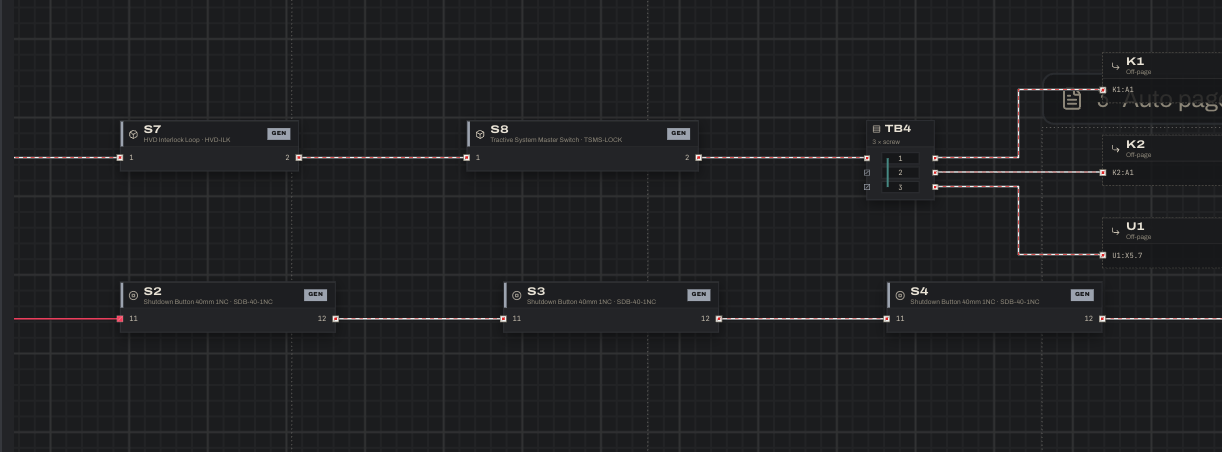
Subsystems keep a large drawing readable. The example has five. Collapsed, each shows as a single block whose wires to the rest of the system are bundled (“6 wires”). Double-click one to open its detail view, where it fills the canvas and anything it connects to outside appears as a small off-page block.
- Create subsystems on the Groups tab, or select blocks on the canvas (shift-drag, or ⌘/Ctrl-click) and press Group.
- Subsystems nest. Grouping blocks that all sit inside a subsystem creates the new one inside it (e.g.
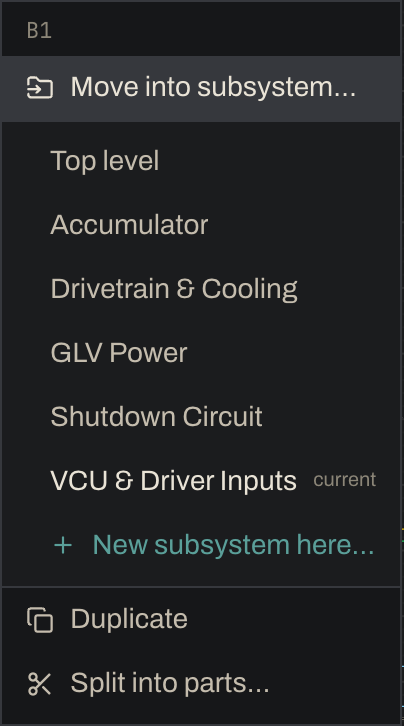
Accumulator › Contactors). - Right-click a block, strip or selection and choose Move into subsystem… to move it into any subsystem, to the top level, or into a new nested subsystem.
- Each subsystem has its own signal flow, left → right or top → bottom, and the project has a default. The example’s shutdown circuit reads left to right, so the series loop runs across the sheet in the order current flows through it.
- Blocks are placed automatically. Drag any block to override its position; wires re-route when you drop it.
- Clean up (⌘U / Ctrl+U, like LabVIEW): with blocks selected, it lays just those out neatly where they are, lines their wires up with the rest and keeps them clear of other blocks. With nothing selected, it gives the whole view a fresh automatic layout. Either way the toast has Undo.
- Terminals face what they’re wired to and are ordered by where their wires go, so wires land uncrossed. A connector moves as one unit. Terminal strips keep fixed in/out sides.
- Wires avoid crossing other wires and take as few bends as they can. Wires that run side by side get their own lanes, spaced so their labels fit between them.